
Teaching AI to speak PrestaShop
How Repository Intelligence makes the project's conventions readable by every AI tool, not just one.
You ask your AI assistant to add a new Back Office listing page. It dutifully reaches for HelperList, configures a few fields, drops in a legacy admin controller, and produces something that would have looked perfectly correct in PrestaShop 1.7. The code compiles, the page renders, and you ship it. Six months later, you end up rewriting it on top of the Grid component, a GridDefinitionFactory, and a CQRS-aware controller wiring, because that is the architecture the rest of the codebase has been using for years.
The AI is not inventing things. It is faithfully reproducing patterns from the largest, most public corpus of PrestaShop code it could find: years of legacy modules, older tutorials, archived forum threads, and Stack Overflow answers that were correct at the time, and are not anymore. If the project does not tell the model otherwise, it has every reason to assume that HelperList is still how we build lists. That assumption costs every developer real time, whether you are an agency shipping a module to a client, a freelancer customizing a shop, an in-house team maintaining a B2B platform, or a contributor opening a pull request to the core.
If you write PrestaShop code with AI assistance, you have almost certainly seen this exact pattern. The conventions the project has converged on (CQRS, multistore-aware code, layer separation, BC rules, modern admin architecture) were built up over years and live in the heads of a handful of people, in scattered documentation pages, and in the memory of past PR reviews. None of that knowledge is visible to an AI assistant when you open a file and ask for help.
This article describes what we are doing about it, and why we picked the approach we did. The short version: every PrestaShop repository ships a small set of pointer files at its root that direct any AI tool to a shared context written in plain Markdown. The core, given its size, has gone further and now hosts a dedicated .ai/ directory with a hierarchical, machine-readable structure. Smaller repositories use a single root context file for now, but the convention is the same one and is meant to grow with them. Any AI tool can read these files. Any contributor can write them. We are deliberately avoiding tool-specific lock-in.
Why this matters now
PrestaShop CEO Mikołaj Król shared on LinkedIn a few weeks ago a position the engineering team has been quietly turning into a project plan:
I want Sylius & PrestaShop to be the top vibe-coding-friendly platforms.
Both platforms carry years of tradition, but more importantly, years of data that LLMs can learn from. (…) We’re already experimenting with proper agent guidance, teaching AI how to do things the right way in both Sylius and PrestaShop.
The reasoning is convincing. PrestaShop has 20 years of public data: source code, GitHub issues, forum threads, Stack Overflow questions, Slack discussions. Foundation models have already trained on most of that. The gap between what an AI knows about PrestaShop and what a project member knows about PrestaShop is the gap between public artifacts and the conventions that live in our review comments.
Closing that gap is what Repository Intelligence is for.
The problem, stated honestly
When a developer asks a generic AI assistant to write PrestaShop code, the result tends to lean on older patterns rather than the modern ones the project now recommends. A few that we see most often:
- It uses
ObjectModelpatterns instead of CQRS commands and queries. - It ignores multistore constraints (context, group filtering, store-aware queries).
- It calls
Hook::exec()instead ofHookDispatcherInterface. - It often uses
HelperListinstead of using the Grid component. - It crosses layer boundaries (controllers reading from the database, repositories invoking services).
- It writes naive forms instead of using the project’s form builder and a typed handler.
Each of these has a correct, project-recommended alternative. None of them are visible from the file the AI is editing. The cost adds up across the whole ecosystem: agency developers ship modules that quickly become outdated, in-house teams accumulate technical debt, freelancers spend an afternoon refactoring code they shipped that morning, contributors waste time iterating on review feedback, and maintainers spend their own time explaining the same rules over and over.
One subtlety worth naming. Some of those failure modes are specifically about the core: strict CQRS, layer separation, and the modern form builder describe how the core itself is structured today. Modules have different constraints. A module that targets modern PrestaShop versions can adopt the same patterns and benefit from the same context. A module that aims for compatibility with much older PrestaShop versions has its own trade-offs, and we do not want to dictate architecture choices to module authors. What we do want to make easier is the modern path: when you choose to build on top of PrestaShop’s current architecture, the AI should help you do it correctly. Module-focused context files and skills are a natural next step, and we will share more on that in future articles.
We are also open to documenting the legacy path for module authors who need it. If you maintain modules that have to keep supporting older PrestaShop versions, your help writing that context would be very welcome. The structure stays the same, only the canonical examples and recommended patterns change to describe the legacy approach.
The team summarized the broader idea cleanly in the Repository Intelligence epic:
Today, those conventions live in the heads of a handful of maintainers, scattered across documentation pages, and in the memory of past PR reviews.
The goal of the initiative is to move that knowledge into the repository, in a form an AI can read.
Our principle: AI-agnostic by design
Before any structure decisions, the team made a strategic one: the project would not pick a single preferred AI tool.
There are good practical reasons. Tools change fast. Contributors use what they have, what their employer allows, or what they paid for. Some open issues from a phone, others from Cursor, others from Claude Code, others from a web chat. A project that ships proprietary configuration for one of those tools forces every other contributor into a worse experience.
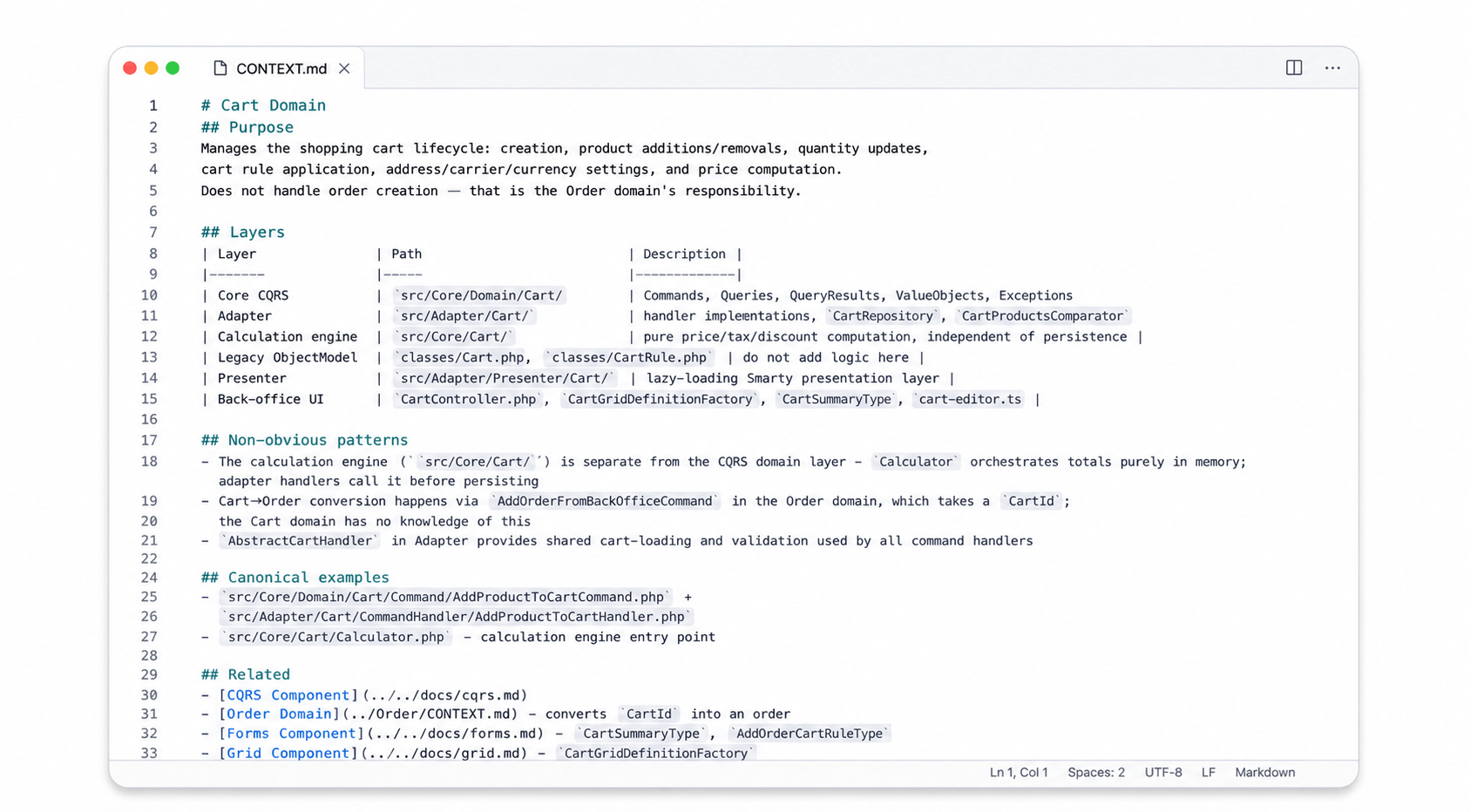
So the design is simple. The actual guidance (architecture overviews, do/don’t rules, canonical examples, testing expectations) lives in plain Markdown inside an .ai/ directory. At the repository root, a small set of pointer files (CLAUDE.md, .cursorrules, AGENTS.md, etc.) does nothing except point each tool to .ai/CONTEXT.md. The pointer files exist because each tool has its own opinion about which filename it auto-loads. The single source of truth is the Markdown.
The benefit is that every supported tool reads the same content, and adding support for a new tool tomorrow is a matter of adding a new pointer file. No content duplication, no drift between “Cursor rules” and “Claude rules.”
What’s in the .ai/ directory
The structure is hierarchical. In the PrestaShop core repository, it looks like this (simplified):
.ai/
├── CONTEXT.md              # project-wide architecture, CQRS, global rules
├── STRUCTURE.md            # how to write new context files (template)
├── GOTCHAS.md              # known traps and tricky patterns
├── Domain/                 # over 50 business domain folders
│   ├── Cart/
│   │   └── CONTEXT.md
│   ├── Customer/
│   │   └── CONTEXT.md
│   └── ...
├── Component/              # over 20 cross-cutting infrastructure folders
│   ├── Grid/
│   │   └── CONTEXT.md
│   ├── Hook/
│   │   └── CONTEXT.md
│   ├── CQRS/
│   │   └── CONTEXT.md
│   └── ...
└── generated/              # CQRS commands, routes, entities, hooks indexes
Each level answers a different question:
- The root
CONTEXT.mdanswers: what is this codebase, and what are the universal rules? - A domain
CONTEXT.mdanswers: what is special about Cart, or Order, or Customer? - A component
CONTEXT.mdanswers: how do I correctly use the Grid, the Hook dispatcher, the CQRS bus, the form builder? - The generated indexes give the AI a queryable map of every CQRS command, every route, every entity, every hook.
The hierarchical .ai/ directory is the core’s answer to its own size: more domains and components than any single contributor can hold in their head. Smaller repositories do not need that hierarchy yet. ps_apiresources and Hummingbird ship a single CONTEXT.md at the root with the same pointer files, and that is enough for now. The convention is deliberately identical across repositories, so as other projects in the PrestaShop ecosystem grow and need more structure, we may introduce a dedicated .ai/ directory there as well. Even at small scale the consistency matters: contributors and AI tools both know exactly where to look.
A concrete example: the Grid component
The Grid component is one of the Tier 1 components (most-used, highest risk of AI misuse) that the team prioritized. Here is an excerpt from the real .ai/Component/Grid/CONTEXT.md currently shipped on the develop branch:
# Grid Component

## Purpose

Infrastructure for rendering and managing back-office data tables: column
definitions, filters, row/bulk actions, query builders, data factories, and
drag-and-drop position reordering. Does not contain any business data. Each
domain provides its own GridDefinitionFactory and Doctrine query builder.

## Non-obvious patterns

- AbstractGridDefinitionFactory dispatches the
  action{GridId}GridDefinitionModifier hook. Modules add columns and actions
  without touching core code.
- SearchCriteriaInterface is stored as a Symfony request attribute per grid,
  not as a service. Each grid type has its own {Domain}Filters class in
  src/Core/Search/Filters.
- 60+ concrete query builders exist (one per domain grid). All extend
  AbstractDoctrineQueryBuilder and implement getSearchQueryBuilder() and
  getCountQueryBuilder().

## Canonical examples

- src/Core/Grid/Definition/Factory/AbstractGridDefinitionFactory.php:
  base class showing the pattern every grid definition must follow
- src/Core/Grid/Definition/Factory/ProductGridDefinitionFactory.php:
  concrete implementation
- src/Core/Grid/Query/LanguageQueryBuilder.php:
  simple concrete query builder

## Conventions (excerpt)

### Column definitions

- Column IDs must be snake_case and exactly match the SQL column aliases in
  the query builder.
- Column ordering: BulkActionColumn is always first, ActionColumn is always
  last. PositionColumn (if present) goes second, after BulkActionColumn.
- ToggleColumn requires a dedicated AJAX toggle route. It cannot work
  without one.

### Query builders

- Always alias the primary key as id_{domain} (e.g. id_tax). Row actions
  use this alias for routing.
- Parameterized queries only. Never use raw string concatenation for filter
  values.
- The count query must NOT include LIMIT or OFFSET. It returns the total
  before pagination.

## Skills

| Skill                     | Trigger                                       |
|---------------------------|-----------------------------------------------|
| create-grid-definition    | "create grid definition for {Domain}"         |
| create-grid-query-builder | "create grid query builder for {Domain}"      |
| create-position-column    | "add position column for {Domain}"            |
Read it as if you are an AI assistant. You are no longer guessing. You know which classes to extend, which conventions matter, and which existing files to imitate. The Non-obvious patterns, Canonical examples, and Conventions sections do most of the actual work in practice. They replace dozens of code-review comments per year.
The full file goes deeper still: a Layers map, a “Factory trilogy” walkthrough explaining how the three factories cooperate, and a list of related components. Read the complete Grid context on GitHub for the full picture, and notice the Skills table at the bottom: each skill is a callable instruction the AI can follow to actually generate code, not just rules to respect. That is the bridge to the next section.
From knowledge to capability: skills
A CONTEXT.md file teaches an AI what is true. The next layer teaches it what to do. That layer is a set of skills: reusable, testable AI capabilities written in plain Markdown that an AI tool can invoke on demand.
The project hosts skills in two complementary places, and the split is deliberate.
.ai/skills/ inside a repository holds skills that are specific to that codebase. They help a developer work on the source code of that repository: write a CONTEXT.md, create a pull request, scaffold a new skill, migrate a legacy controller. The core’s .ai/skills/ already ships component-context-generator, domain-context-generator, create-pr, and create-skill, with a Symfony migration skill landed via #41279.
The standalone PrestaShop/skills repository hosts skills that are global to the PrestaShop ecosystem. They help a user operate on a PrestaShop installation, regardless of which codebase the developer is touching: update a shop, roll back to a previous backup, check if a store is ready to upgrade. These skills are installable via npx skills install PrestaShop/skills/[application]/[user|dev] and currently cover the Update Assistant, with more areas planned.
The rule of thumb is simple. If a skill is about working inside a specific repository’s source code, it lives in that repository’s .ai/skills/. If a skill is about operating on a running PrestaShop instance from the outside, it lives in the standalone skills repository.
Skills are explicitly tool-agnostic. Both locations host them as plain Markdown definitions. Claude Code can load them. Cursor can read them. A future tool will be able to import them.
Keeping it honest: the maintenance problem
The hardest part of any documentation effort is keeping it up to date as the code evolves. Context files that describe outdated patterns are worse than no context at all. They actively misguide the AI. Two things help in practice.
The first is the format itself: every CONTEXT.md references real files in the codebase as canonical examples rather than abstract descriptions. When ProductGridDefinitionFactory.php is the canonical example for the Grid component, an AI that grounds its suggestions in that file stays accurate even if the prose around it becomes slightly outdated.
The second is reviewer judgment. During pull request review, maintainers check whether a domain change requires the matching context to be updated, and ask for it in the same PR when it does.
A more proactive option we are exploring is some form of CI check that would flag context drift automatically: when code in a domain is modified but the matching CONTEXT.md is not, raise a friendly warning rather than a blocker. We do not yet know how to implement this cleanly in practice (“modified domain” is not always trivial to detect from a diff), and we are not even sure it is the right tool for the job. If you have ideas on how it could work, we would love to hear them.
Where we are right now
This is a real beginning, not a finished product:
- Component contexts have been seeded (over twenty of them) and the Tier 1 set (Grid, Hook, CQRS, Forms, Twig, Context, Configuration, Database) is largely written. The remaining components are being filled in next.
- The domain contexts (over fifty of them) are progressing in parallel.
- The AI pre-review workflow is currently piloted on ps_apiresources only, with an opt-in allowlist of contributors and specific labels. We are deliberately learning from a narrow scope before considering wider rollout.
- The AI-assisted development documentation is live. Read it, especially the context structure and maintaining context pages.
- Smaller repositories like ps_apiresources and Hummingbird already ship the lighter single-file pattern.
The team behind this
This is months of behind-the-scenes infrastructure work that most users will never see. The people worth knowing about:
- @cnavarro-prestashop wrote the Repository Intelligence epic and shaped the strategy: AI-agnostic, hierarchical, machine-readable, contributor-friendly.
- @jolelievre built the AI pre-review GitHub Action, packaged it for reuse, piloted it on
ps_apiresources, and authored the public docs page on AI-assisted development. - @tleon opened the door for AI assistants to operate inside the core itself, with the foundational AI structure (#41205) and the first Symfony migration skill (#41279).
- @tblivet brought the same pattern to Hummingbird and worked on AI context enhancement there.
- @ga-devfront contributed to Hummingbird’s AI context, and skills for the standalone repository.
- @boherm added AI context to ps_apiresources and connected the skill endpoint inside the API platform.
- @Quetzacoalt91 bootstrapped the standalone
PrestaShop/skillsrepository, the home for global operational skills installable across the ecosystem.


There is a longer list of contributors who have reviewed early drafts, opened linked PRs, and helped pick the right examples. They will be mentioned in upcoming Core Monthly recaps.
How you can help
The component and domain context files are not going to write themselves. If you have deep knowledge of a specific area (Grid, Hook, CQRS, Forms, Twig, Context, Configuration, Database, or any of the domains you have shipped code in), your help is welcome:
- Pick a component or a domain that you know well.
- Read the
STRUCTURE.mdtemplate inside the.ai/directory and the docs page on context structure. - Follow issue #41163 for component context, or its sibling story for domains.
- Open a PR. The format is small, the impact adds up over time.
You do not have to start from a blank page. The team has already shipped a few skills under .ai/skills/ to make this easier. The component-context-generator and domain-context-generator skills help write a CONTEXT.md that follows the project’s structure and conventions. Even if you prefer to write the context by hand, running the matching generator on your draft is a useful self-review pass before committing, just to confirm the structure and conventions are respected. And if you spot a missing capability, the create-skill skill is there to help you define and structure a new one.
If you would rather start with a conversation, reach out to us in the #general channel on the project’s Slack, or join the dedicated GitHub Discussion where we are gathering feedback as the work progresses.
What’s next
Several things, in roughly this order:
- More domain contexts. The goal is full coverage of the parts of the codebase contributors actually touch.
- Wider deployment of the AI pre-review workflow, beyond the
ps_apiresourcespilot, once the pilot has produced enough learning. - More skills published in both
.ai/skills/directories (for working on the code) and in the standalonePrestaShop/skillsrepository (for operating on a running shop). - And, returning to where this article started: making it possible for any developer, on any AI tool, to ship correct PrestaShop code from the first try, whether that code lands in a client’s shop, a private fork, a public module, or a core pull request.
We are not the first project to attempt this, and we will not be the last. But PrestaShop is in an unusually strong position to do it well: 20 years of patterns, a community that has been writing about this codebase publicly for as long, and a team that cares enough to put the conventions into the repository instead of just into the review comments.
To borrow Mikołaj’s framing one more time: PrestaShop should be one of the most “vibe-coding-friendly” platforms available. The work above is what that looks like in practice.
We would also love to hear how you are already working with AI on PrestaShop today: which tools you use, where they actually help you, and where they still get things wrong. That feedback is exactly what shapes which contexts and skills we prioritize next.